Grouped by the journey of a green financing, from first opportunity to the final report.
Everything Xonomy does
A
B
C
D
E
F
G
H
A
Find green opportunities
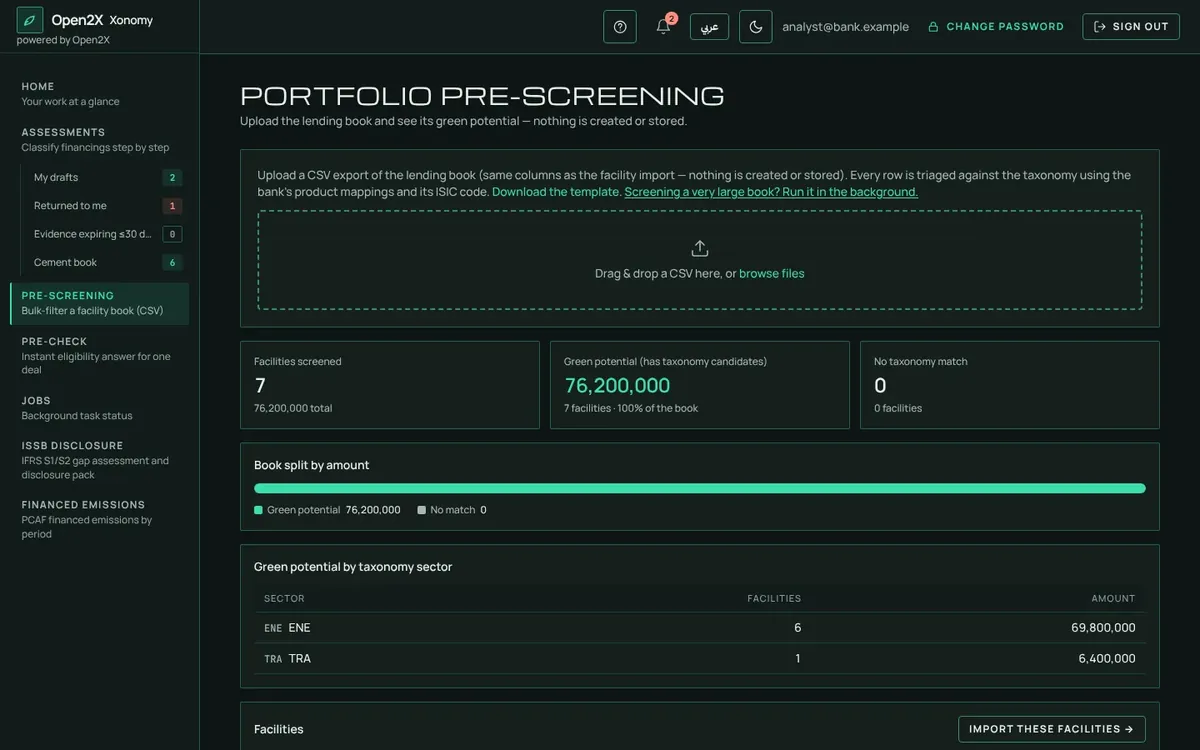
"How green is my book?"Upload the loan book and see which facilities are likely green, possibly green or out of scope, without creating anything.
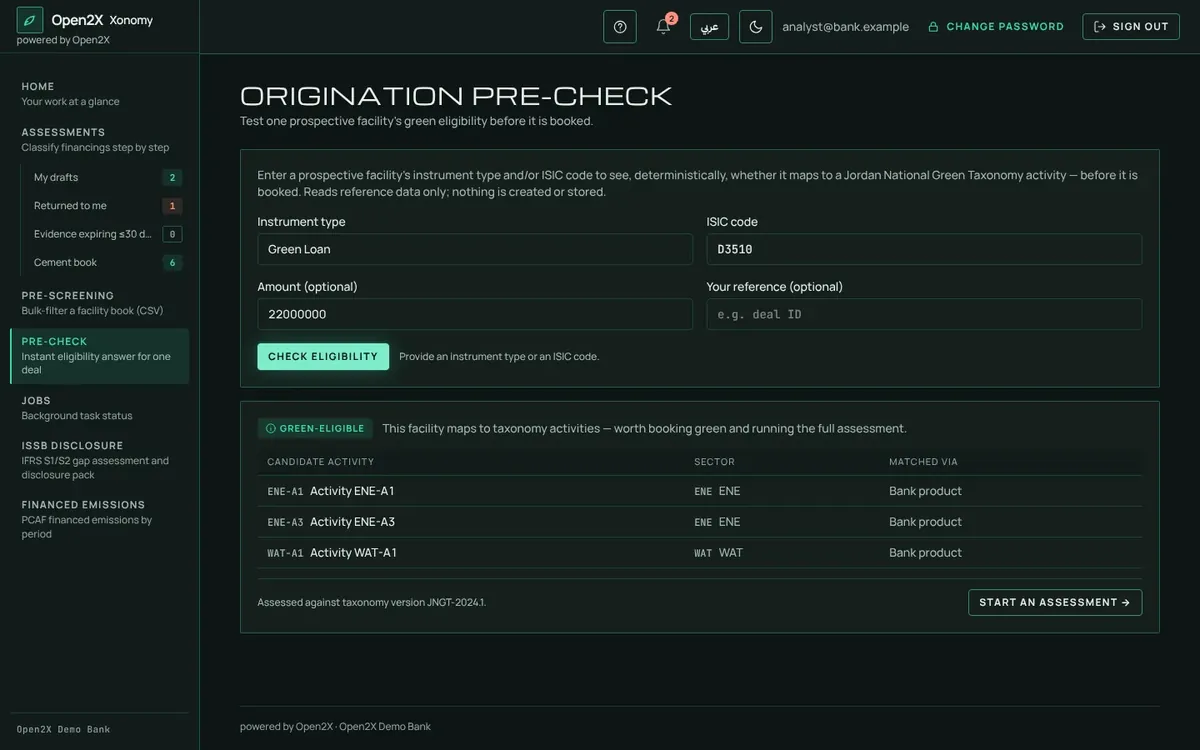
Instant pre-check for relationship managersAn eligibility answer for one deal in seconds, then one click to start the full assessment with the details filled in.
Pipeline and target projectionSee what the green ratio will be if the pipeline closes and renewals happen, and how far that is from your targets.
Pre-screening a facility book
An instant pre-check for one deal
B
Classify each financing
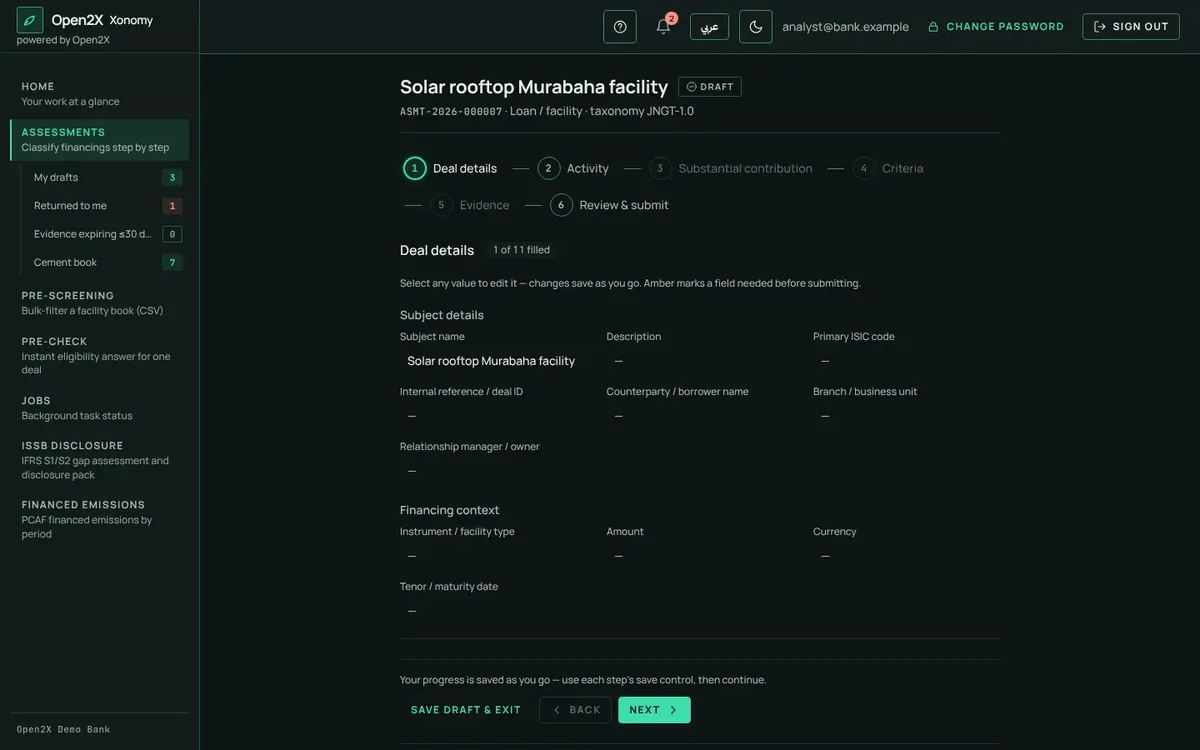
Guided assessmentLoans, projects or client activities, conventional or Islamic. Step by step: deal, activity, criteria, evidence, submit.
The right activity, suggestedThe client's ISIC code points to the matching taxonomy activity; a link opens the exact page of the official taxonomy.
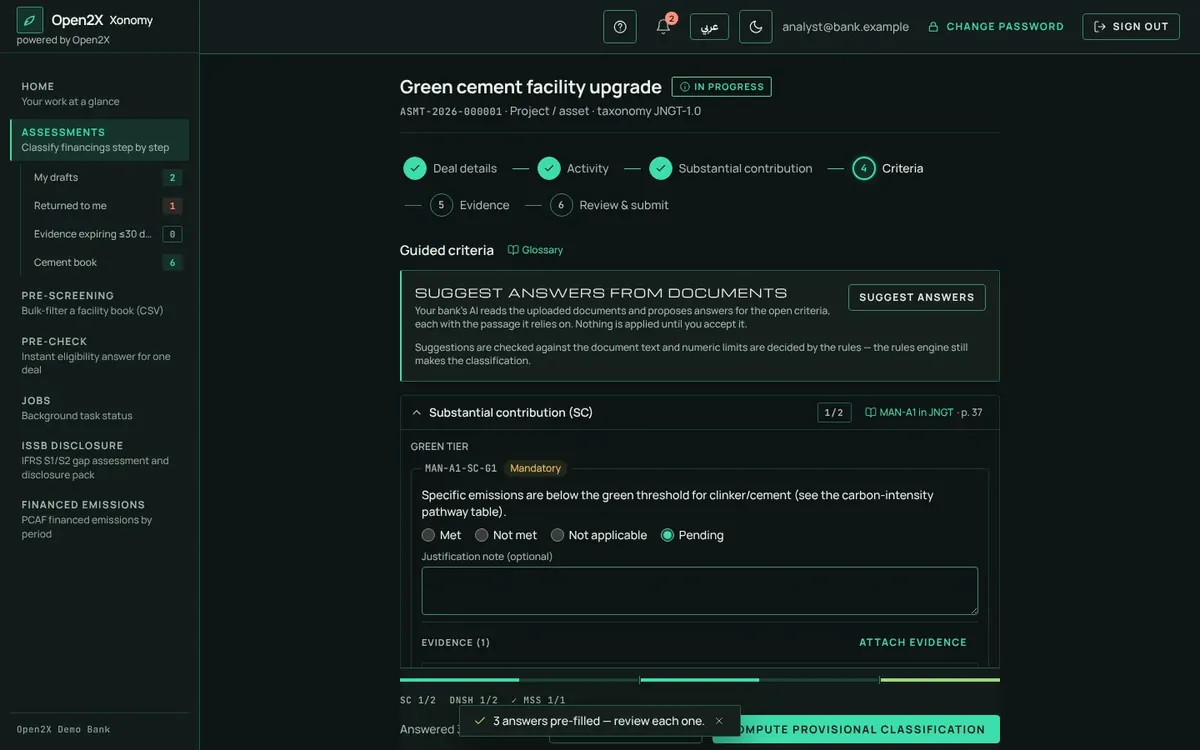
Answers pre-filled three waysFrom product templates (e.g. Green Murabaha), from similar approved deals, and from documents already uploaded. The analyst confirms.
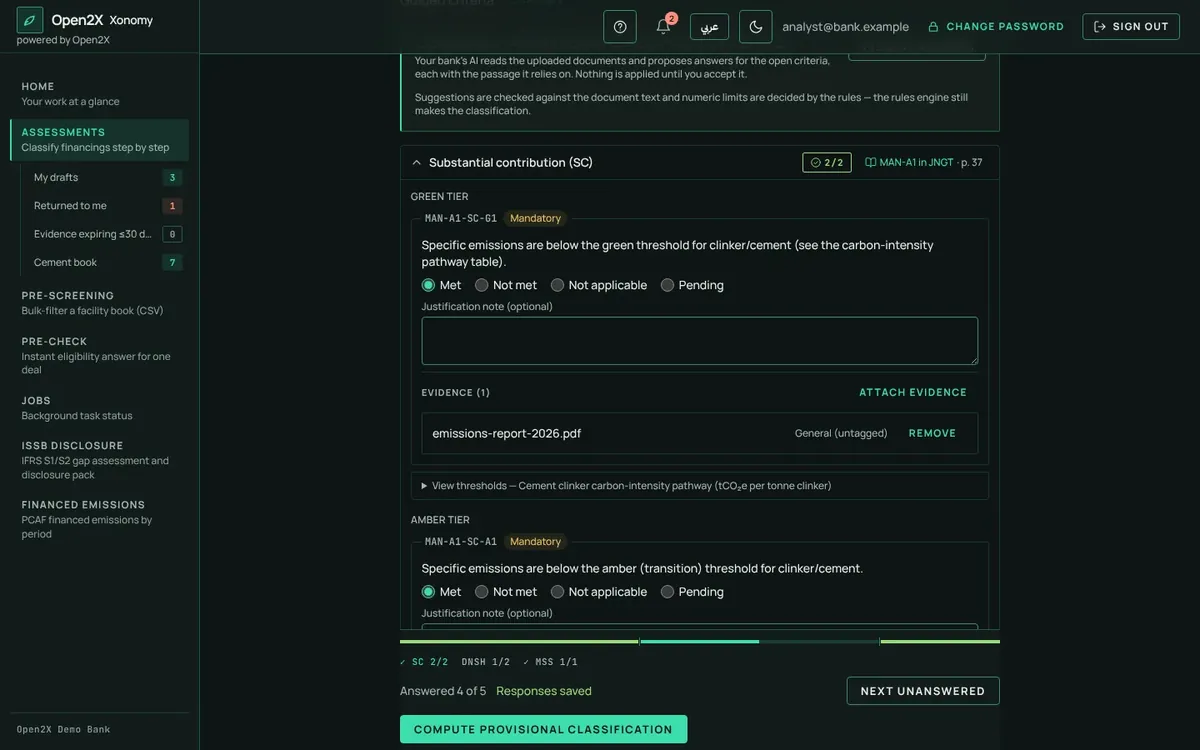
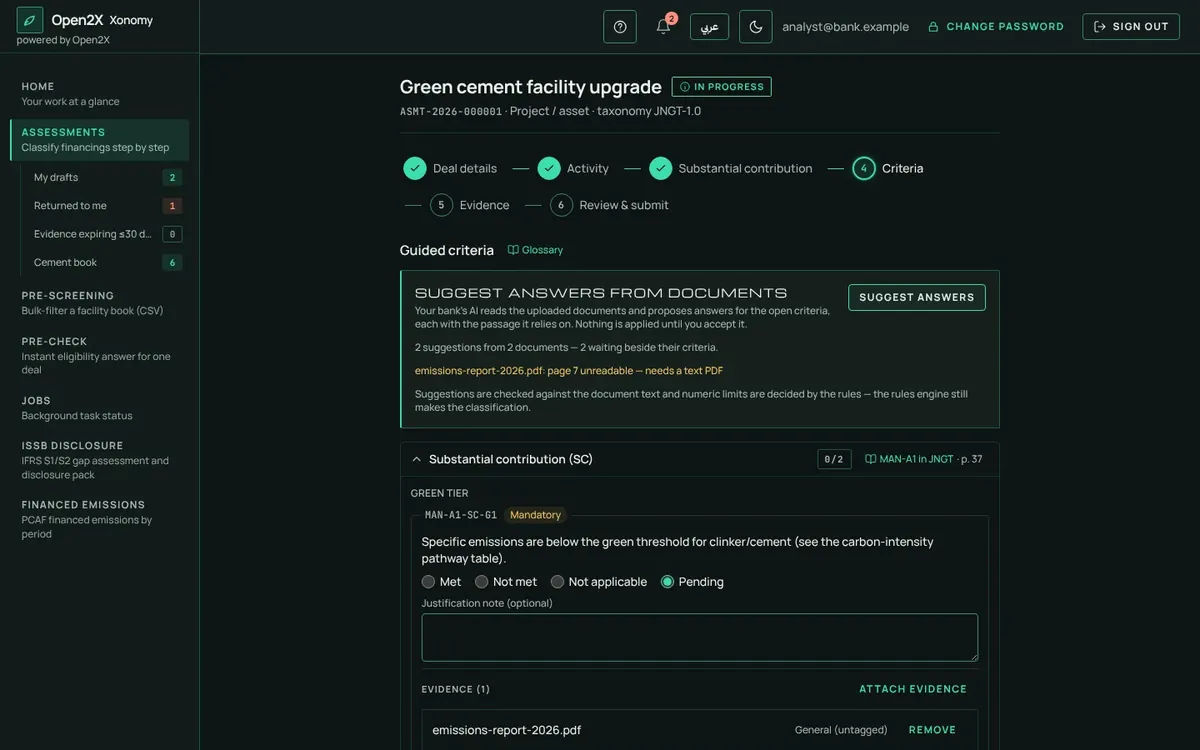
Evidence next to each criterionDocuments are attached exactly where they prove something, with expiry dates tracked.
AI assistance, if you want itUsing the bank's own AI, Xonomy suggests answers and quotes the page they came from. Nothing is accepted without the analyst.
Ready before you submitA readiness panel lists anything missing, with one click to fix it.
Criteria answered, with evidence and progress
Answers pre-filled from a product template
AI suggestions the analyst accepts or ignores
C
Approve with confidence
Maker–checker built inThe person who prepares a deal can never approve it. Reviewers approve, or return it with comments.
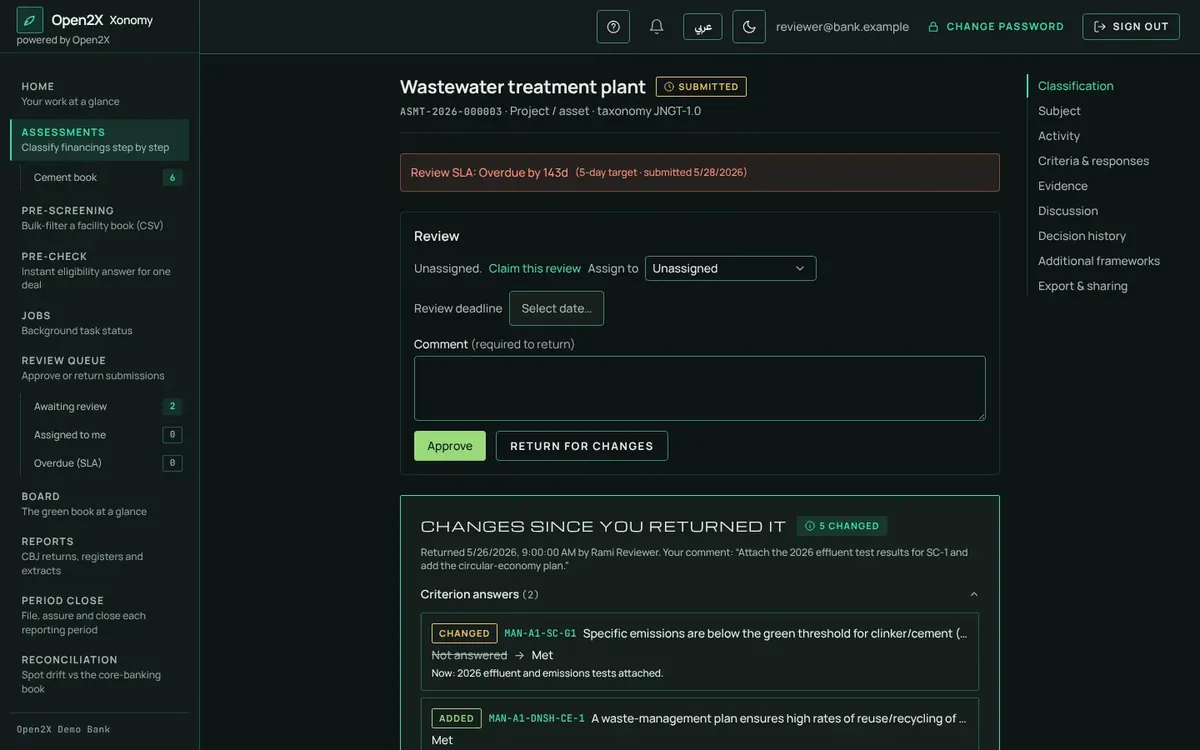
See what changedOn resubmission the reviewer sees exactly which answers and documents changed since they returned it.
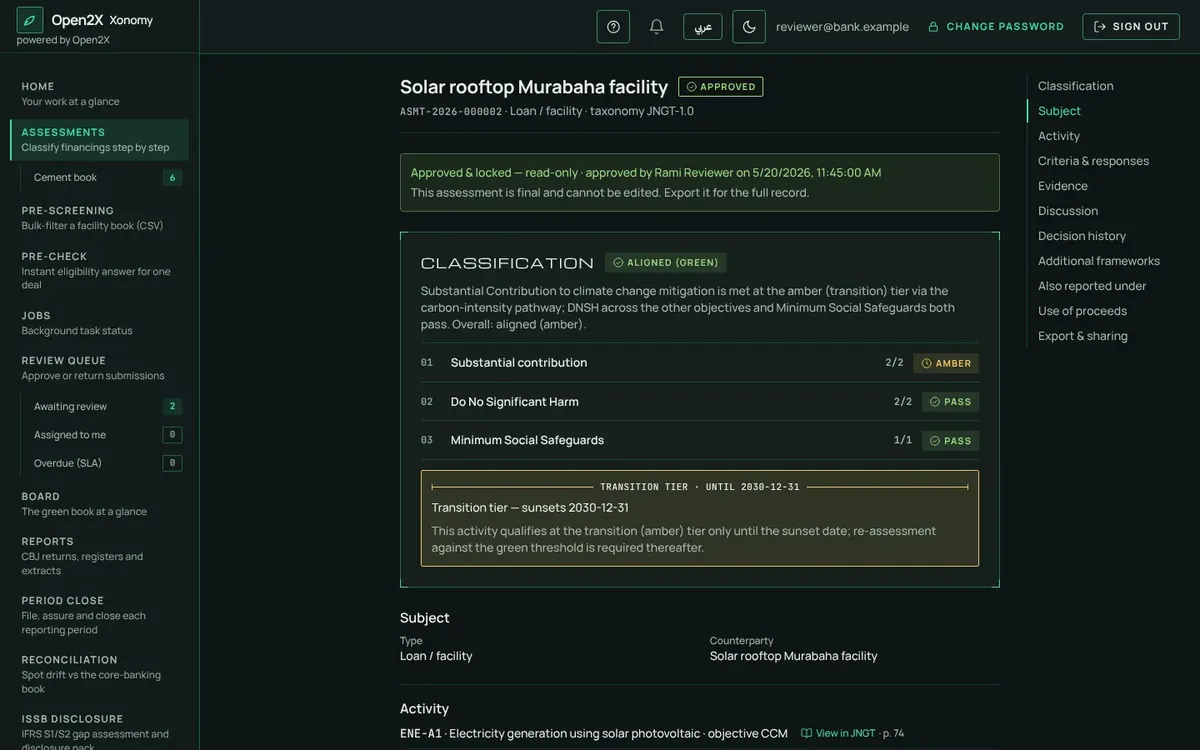
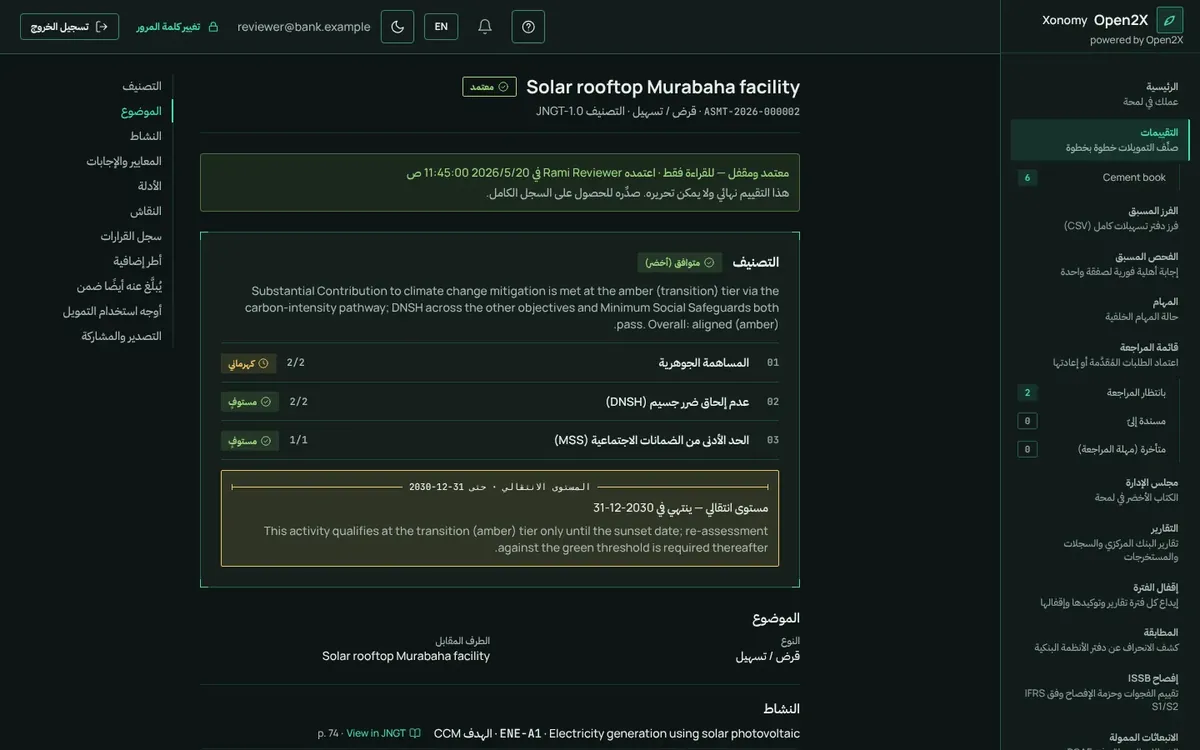
A clear verdictAligned green, aligned amber (transition, with its sunset date) or not aligned, with the reasons written out.
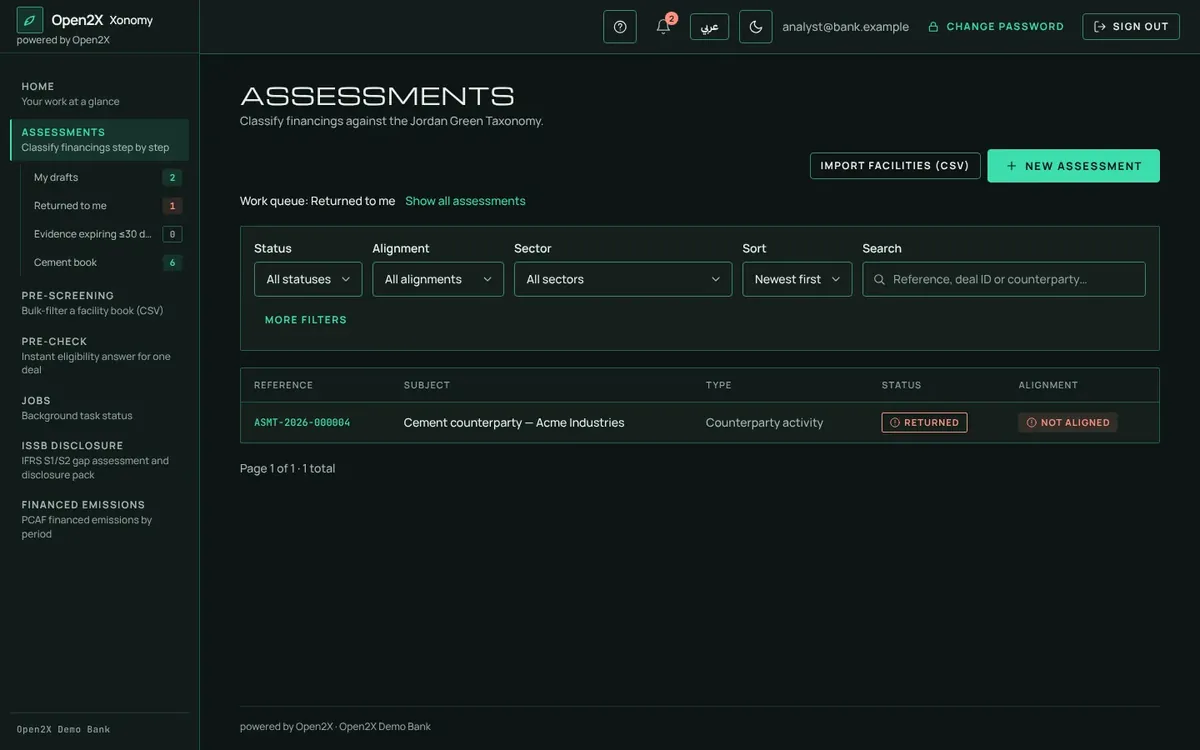
Work queues and service levelsEach person sees what is waiting for them; overdue reviews are flagged against the bank's review deadline.
Reviewer view: changes since return
An approved, locked verdict
A personal work queue
D
Prove it to clients and the market
Green financing certificateA certificate in English or Arabic, with the bank's logo, name and colours.
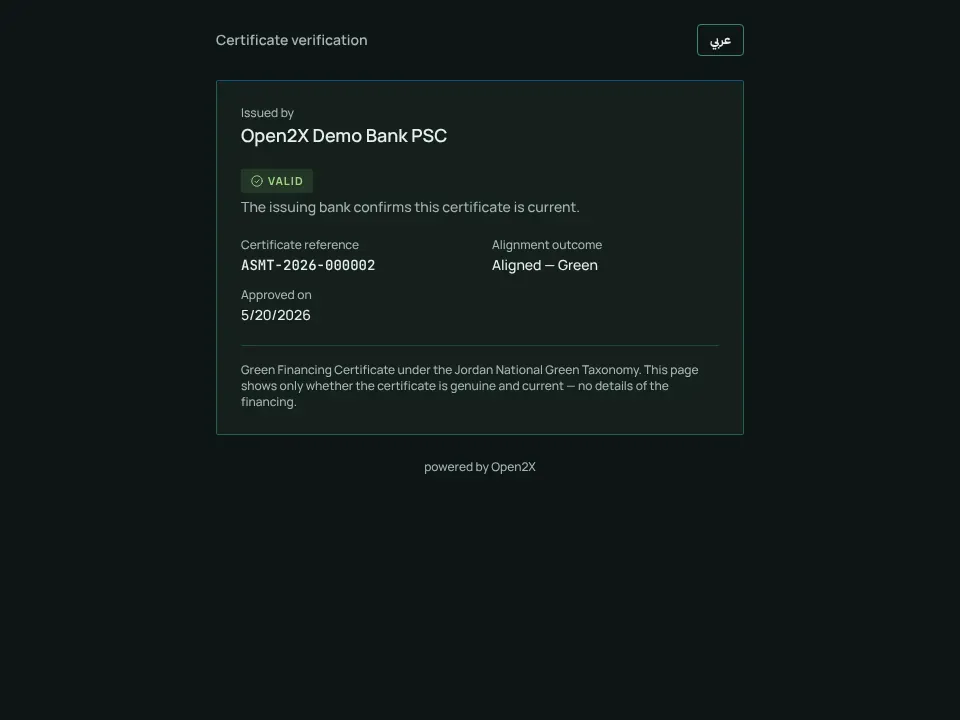
Anyone can verify itA QR code opens a public page confirming the certificate is valid, without revealing deal details. Revocable at any time.
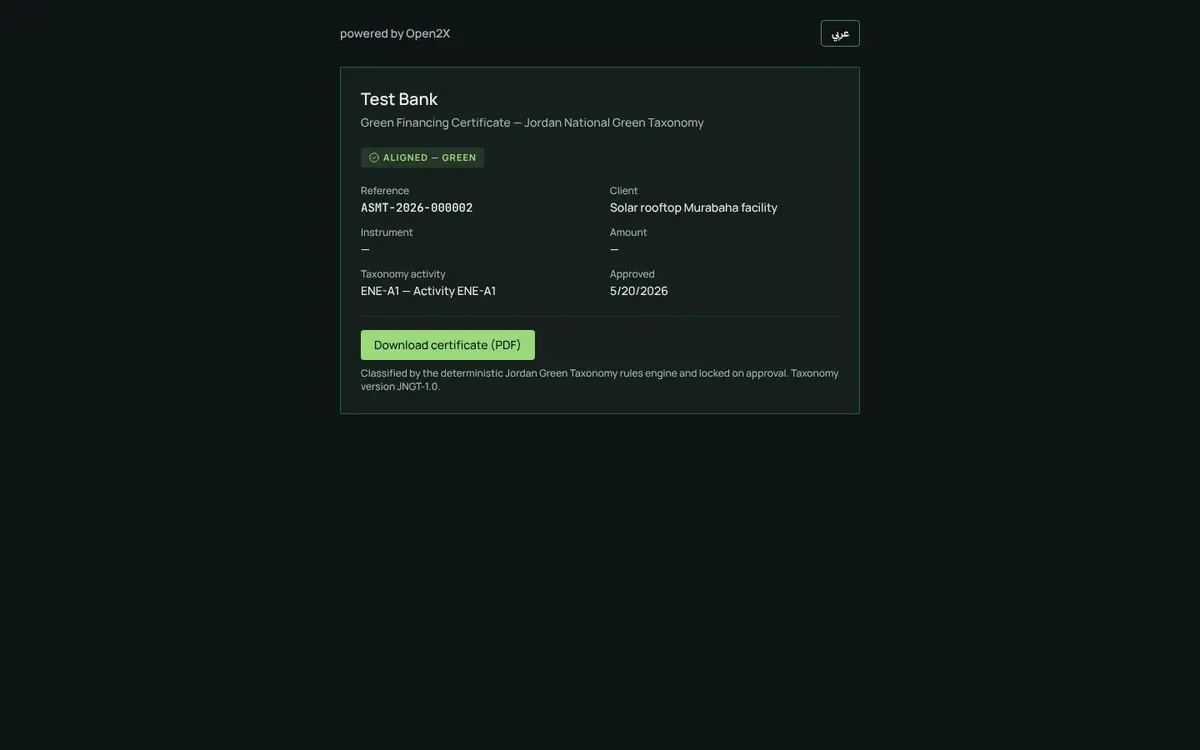
Client green portalShare a secure, expiring link so a corporate client can view and download their own certificate.
Public verification of a certificate
The client green portal
E
Monitor after approval
Use-of-proceeds trackingRecord how green loans are actually disbursed against their green purpose, the basis of allocation reports.
Renewals prepared for youAs a deal nears renewal, a new draft is created with the previous answers ready to confirm.
Expiry and sunset alertsWarnings before evidence expires or a transition (amber) status reaches its sunset date.
Taxonomy updates handledWhen the official taxonomy changes, Xonomy compares versions and lists the approved deals that are affected.
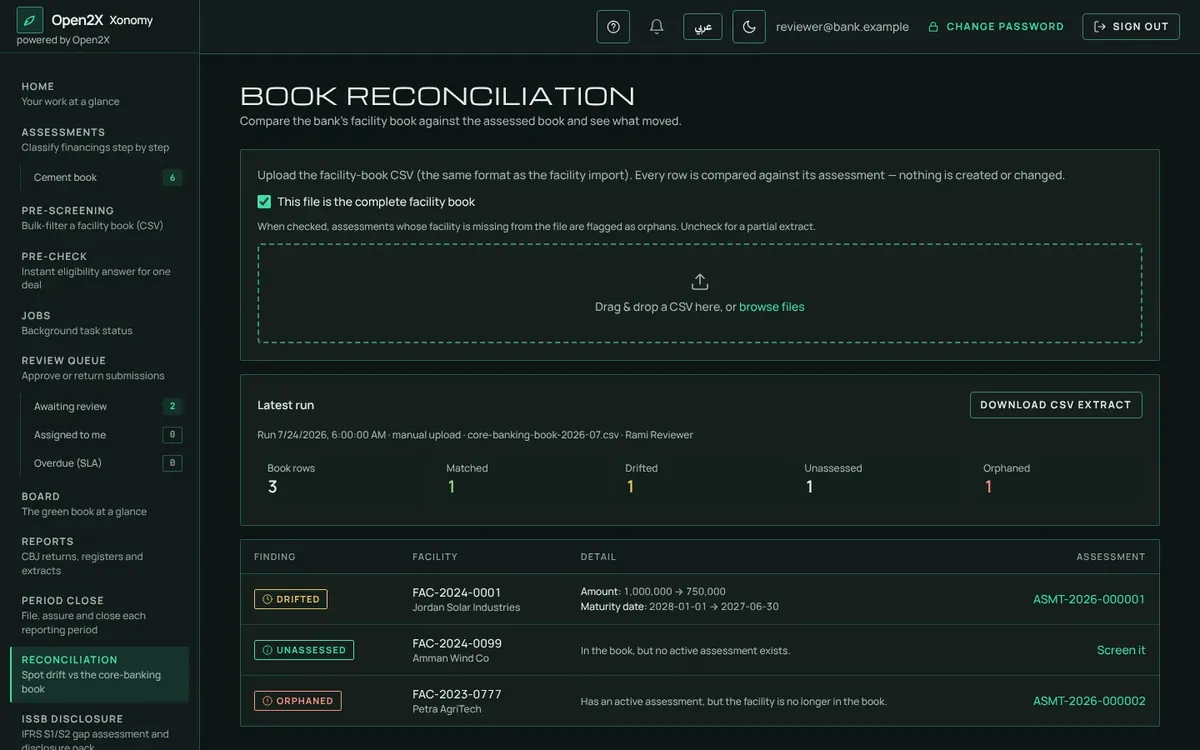
Reconciled to core bankingCompare the assessed book with the bank's facility book to catch drift, unassessed or closed facilities.
Reconciliation with the core banking book
A renewal draft, prepared for you
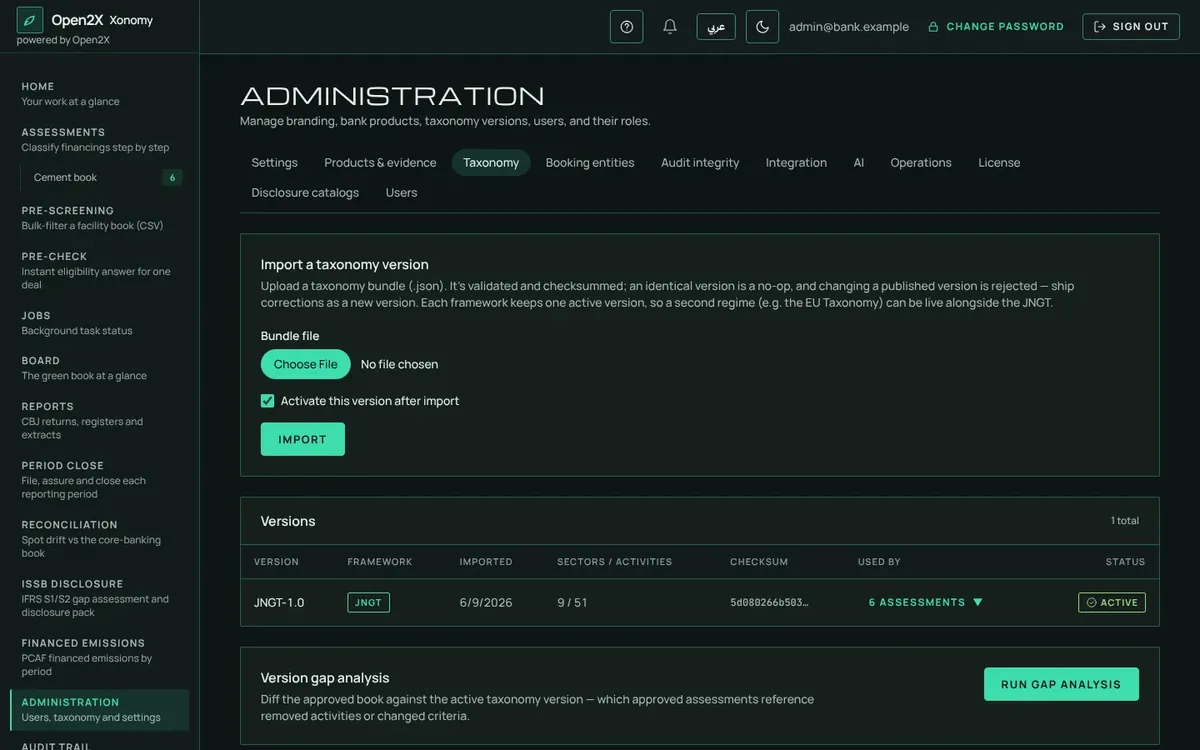
Taxonomy versions and their effect on approved deals
F
Report to the board and the regulator
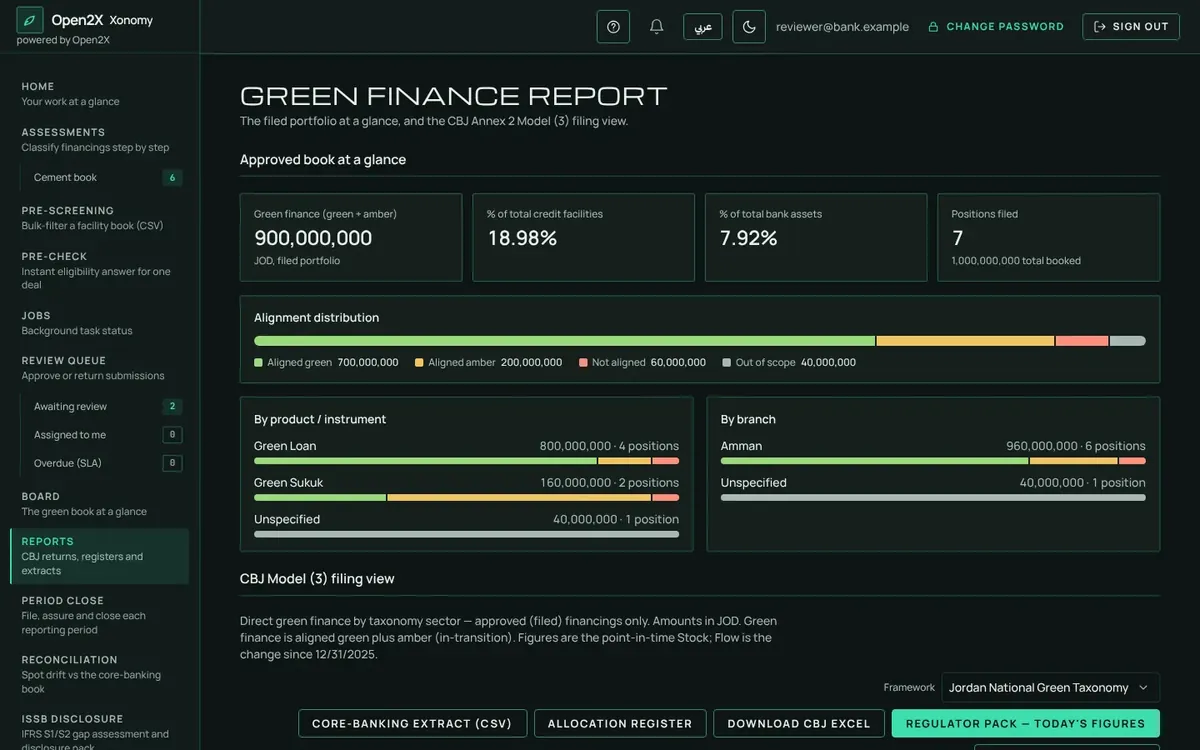
CBJ returns in clicksThe CBJ Model (3) green finance return, a green finance register and an audit extract, together in one regulator pack.
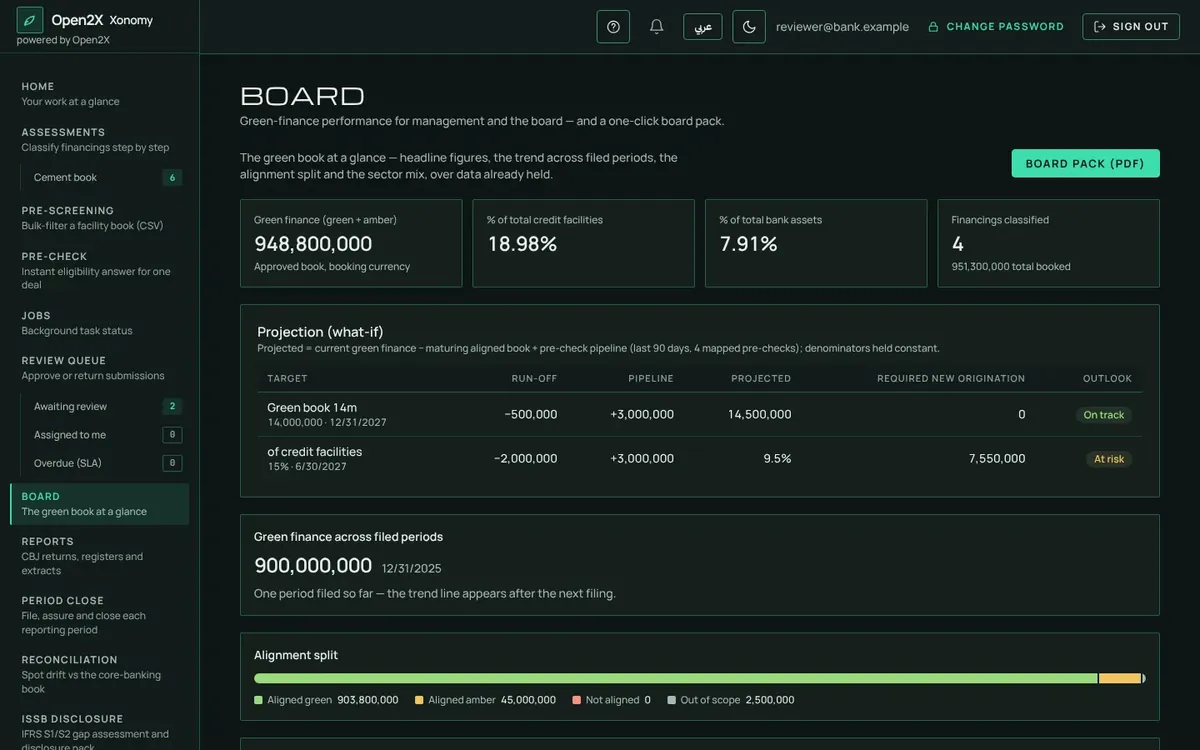
Board dashboard and board packGreen share of facilities and assets, green asset ratio, trend over periods, targets and progress.
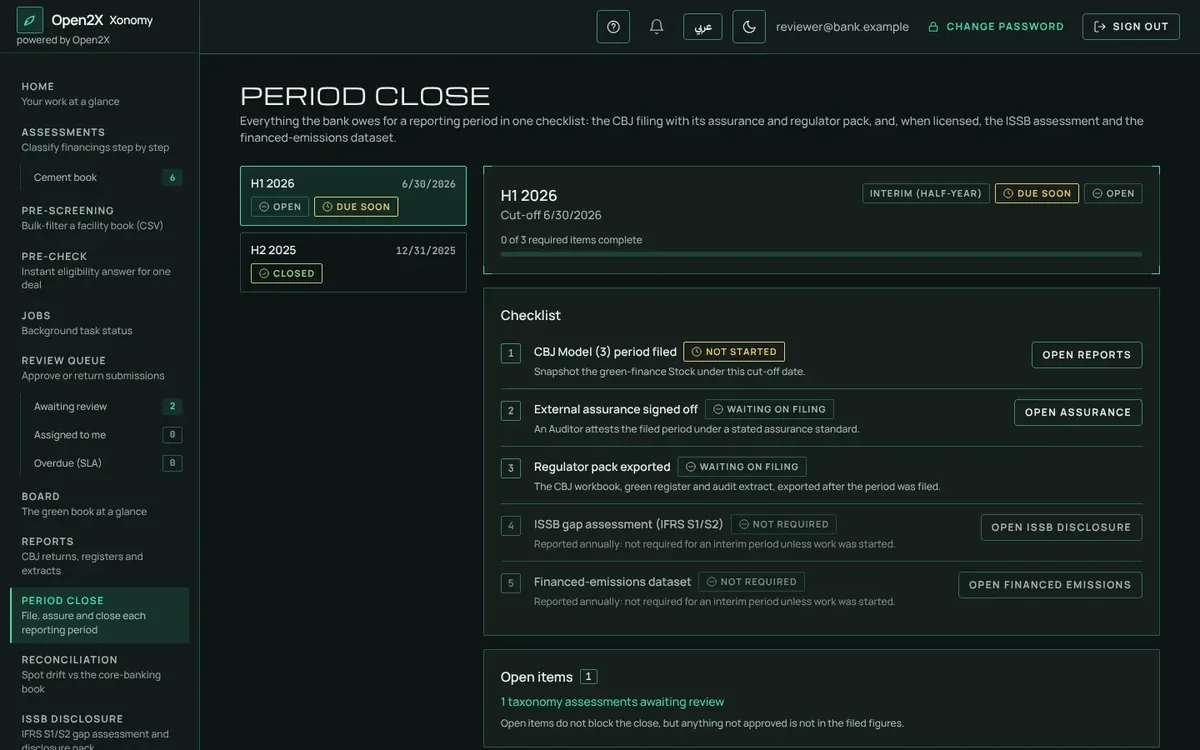
Period close with assuranceFile the period, have the auditor sign off, export the pack and close it. The financial year-end is the bank's choice.
Group consolidationBranches and subsidiaries reported separately and rolled up into a group view.
Results back to core bankingAn export of classifications for green pricing and other bank systems.
The green book at board level
Reports and the regulator pack
Period close: file, assure, close
G
Sustainability disclosure Add-on modules
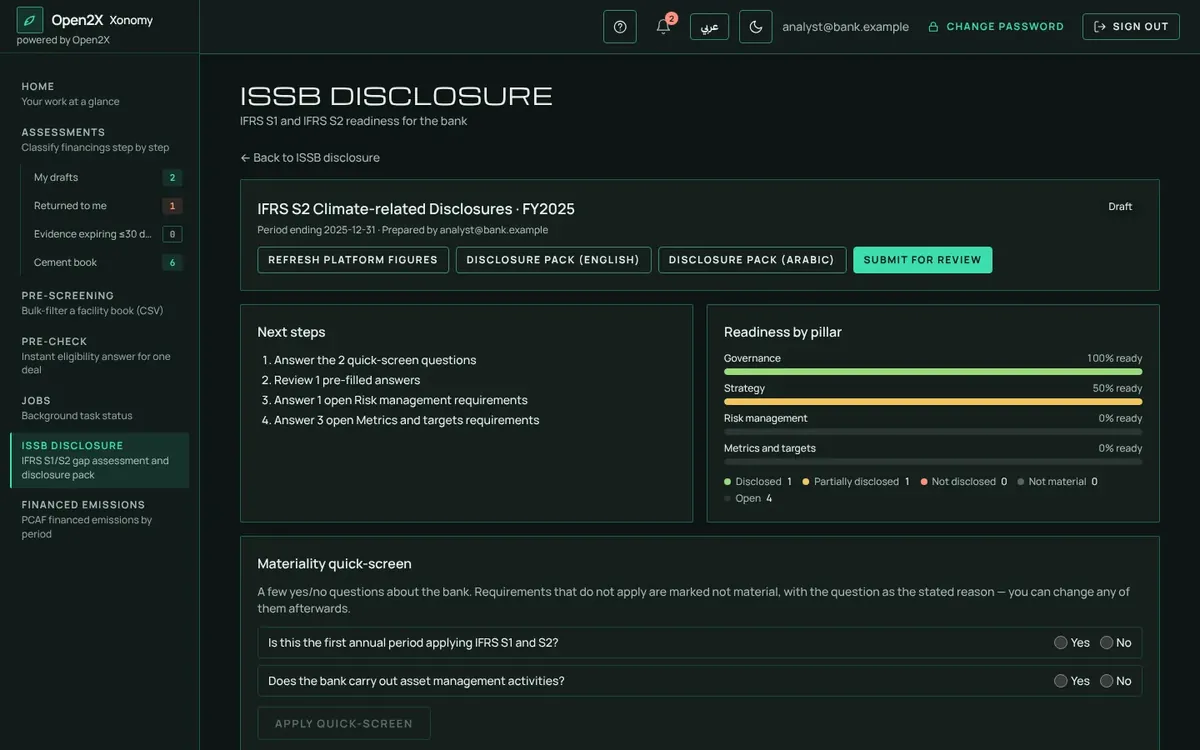
ISSB S1 and S2 readinessA gap assessment against each disclosure requirement, with climate metrics fed from the approved green book and a bilingual disclosure pack.
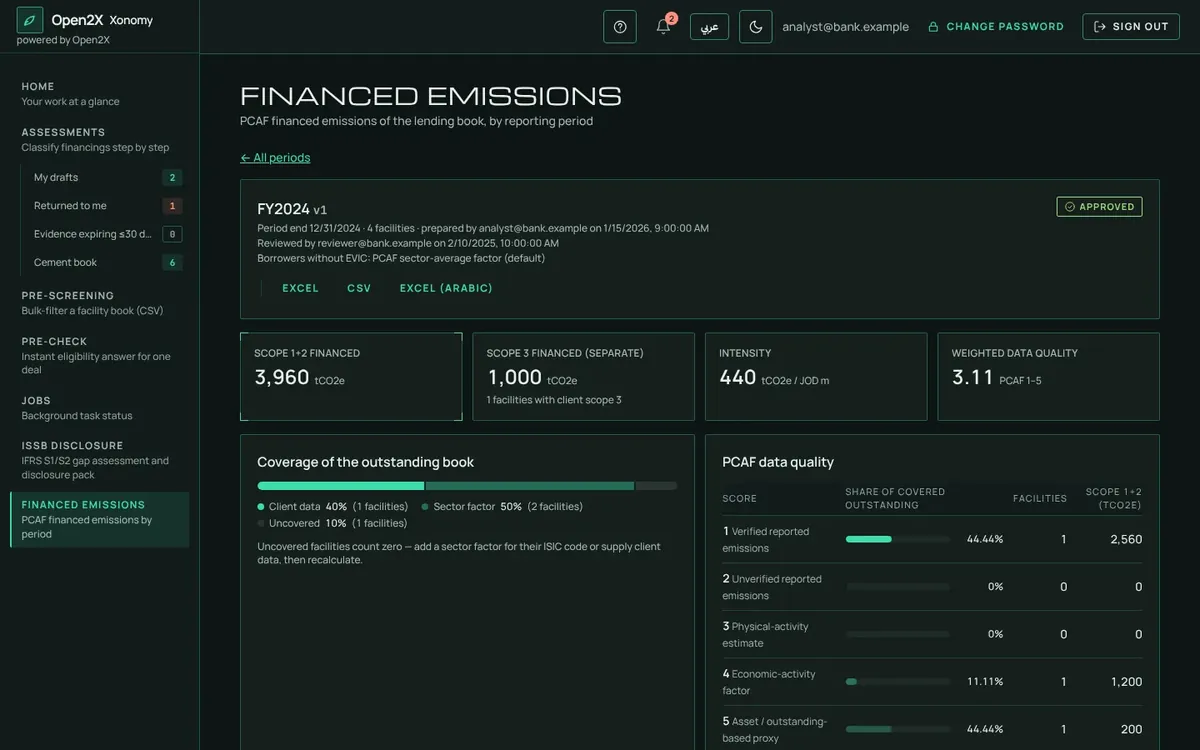
Financed emissionsEmissions attributed to each facility using the PCAF method, measured and estimated figures kept apart, approved like any deal and fed into IFRS S2.
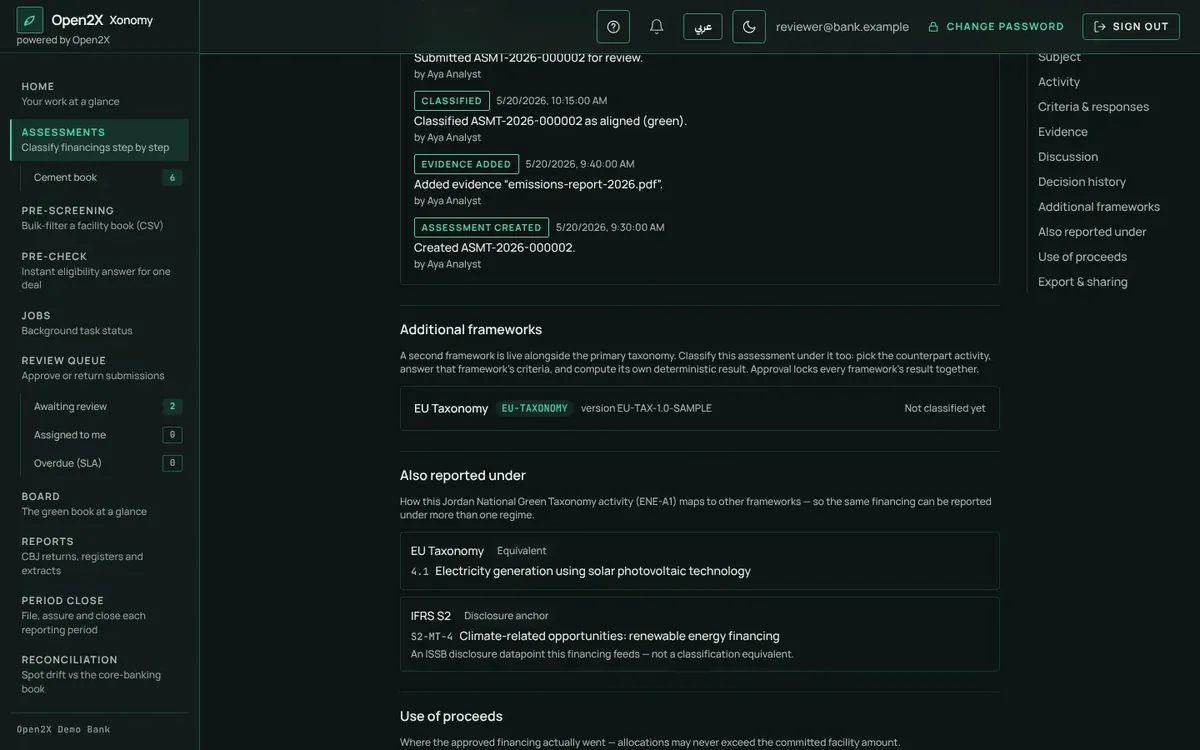
More than one frameworkClassify the same deal under the Jordan taxonomy and a second framework, for banks with international parents.
ISSB disclosure gap assessment
Financed emissions by facility
One deal, more than one framework
H
Made for Jordanian banks
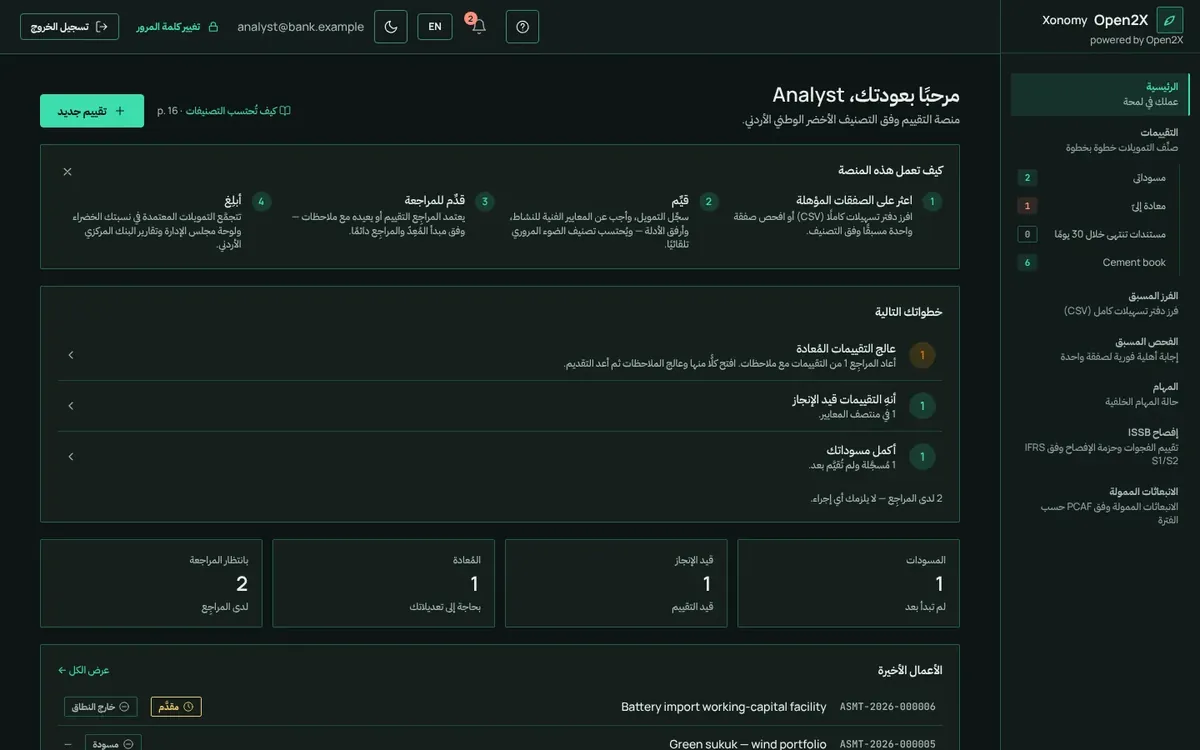
Arabic and English, everywhereScreens, certificates, reports and exports, right to left, with optional Hijri dates.
Islamic finance readyMurabaha, Ijara, sukuk and conventional products in the same process.
Your data stays in the bankInstalled on the bank's own servers. Nothing is sent outside.
Fits how the bank worksFour roles (Administrator, Analyst, Reviewer, Auditor), the bank's own sign-in, and connections to loan origination and core banking.
The whole application in Arabic
Verdicts and reasons in Arabic
Screens shown with sample data.
SHEET 01 · VIDEO
The short version
Xonomy in 30 seconds · Video in English. Screens shown with sample data.
Next step
See your own book in Xonomy
Bring an anonymised extract of your facility book to a demo and see how green it is in minutes. Then decide on a four-week pilot.